




Description
Build Beautiful Sliders the Smart Way
Responsive Thumbnail Slider PRO is the most flexible thumbnail slider plugin for WordPress. Create as many independent sliders as you need, each with its own images, styling, and behavior — and place them anywhere on your site with the block editor, Elementor, Divi, or a simple shortcode. No monthly subscription, ever.
🆓 Using the free version? You get a single slider with core slide/arrow/pager controls. PRO unlocks unlimited sliders, a modern animation engine with real easing curves, a lightbox, per-slider analytics, and full page-builder support. Download the free version on WordPress.org
Two Rendering Engines
Every slider can independently run on whichever engine fits it best.
| Engine | Description |
|---|---|
| Modern | Lightweight, dependency-free engine — no jQuery required for the slider itself. Supports real per-frame easing curves, including true Bounce and Elastic motion that a plain CSS transition can’t reproduce. |
| Legacy | The original, proven engine — kept for sites that want it exactly as-is. |
Existing sliders automatically stay on Legacy after you update, so nothing changes on your live site unless you choose to switch. New sliders default to Modern.
Unlimited Sliders, Fully Managed
Build as many sliders as your site needs — a logo strip on the homepage, a product gallery on a landing page, a portfolio on another — each completely independent.
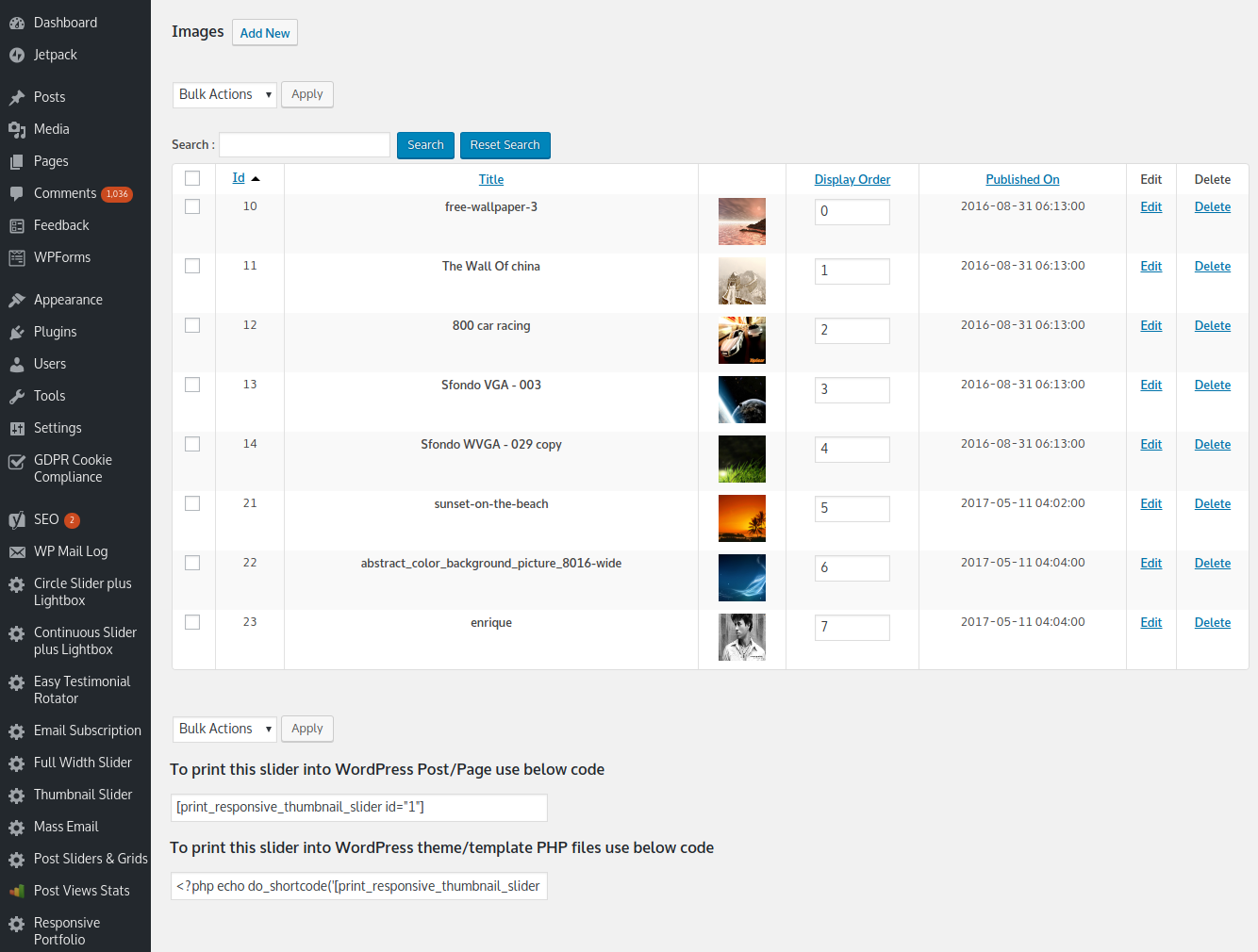
- Unlimited sliders, each with its own images and settings
- Bulk image upload straight from the WordPress Media Library
- Drag-to-reorder, or let images shuffle in random order automatically
- Per-slider border color, border radius, and box-shadow styling
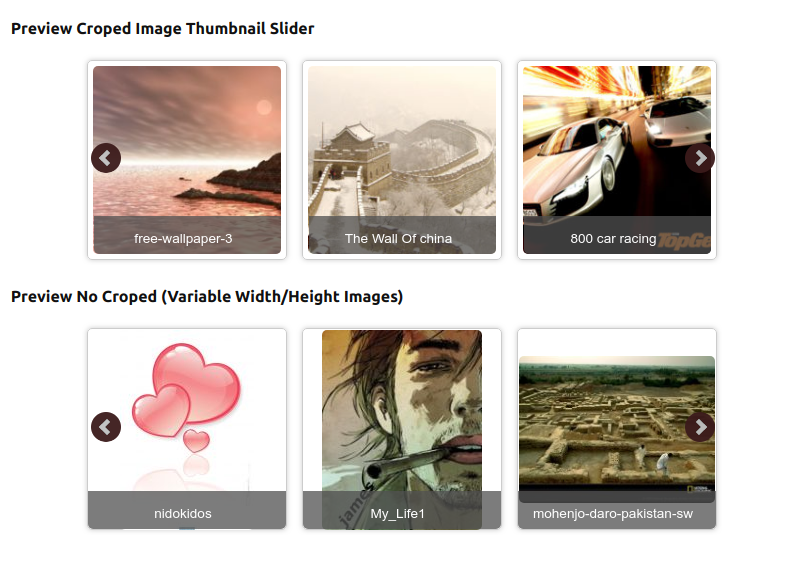
- Crop or no-crop image display modes
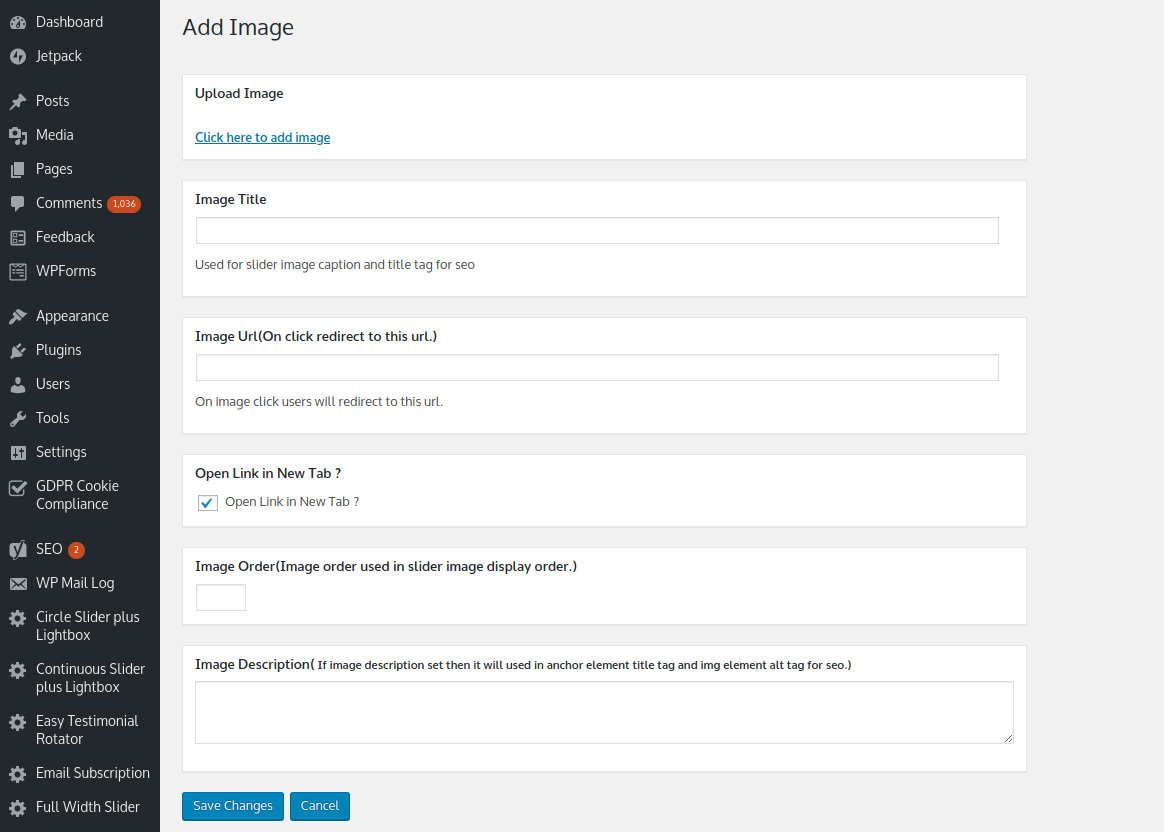
- Per-image custom link, link target (same tab / new tab), and caption — falls back to the image title automatically
- Auto-slide, circular looping, pause-on-hover, and fully adjustable speed and pause duration
- Pager dots, arrow navigation, or both together
16 Easing Animation Curves — Now With Real Motion
Choose from 16 easing curves per slider — Quad, Expo, Back, Bounce, and Elastic, each with In / Out / In-Out variants.
On the Modern engine, Bounce and Elastic aren’t approximated — they’re driven by the actual per-frame easing math, frame by frame, so the motion genuinely bounces and springs instead of just easing smoothly like a CSS transition would.
Lightbox
Turn on a lightbox for any slider and clicking a slide opens the full image in a clean overlay instead of navigating away.
- ⌨️ Keyboard navigation — arrow keys to move between images, Escape to close
- 📱 Touch-friendly on mobile
- 🖼️ Respects your caption setting — shown when captions are on, hidden when they’re off
- 🔀 Takes priority automatically when both a lightbox and a custom image link are configured
Built for Every Page Builder
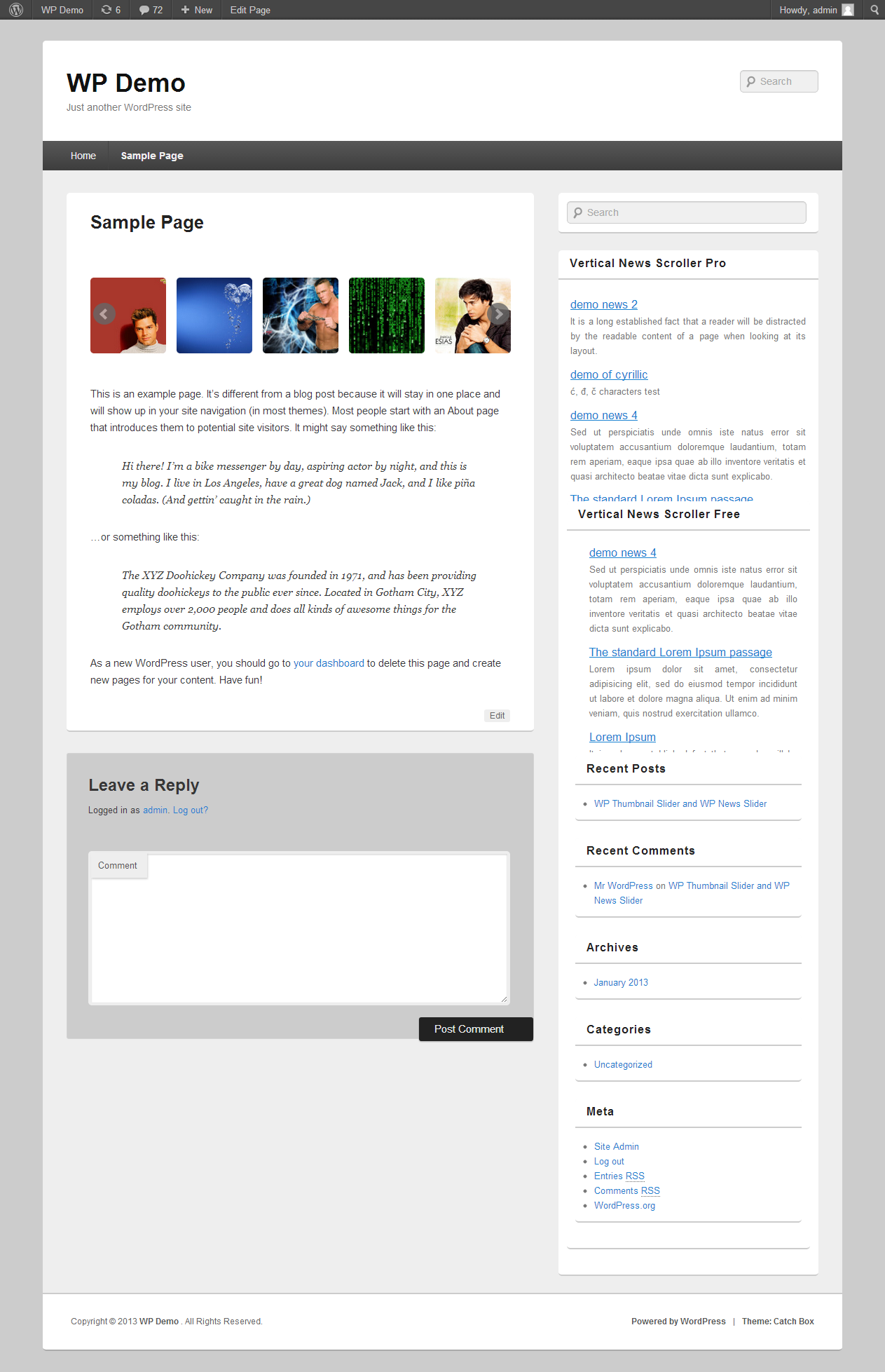
Place a slider wherever you build your pages — no shortcode-hunting required.
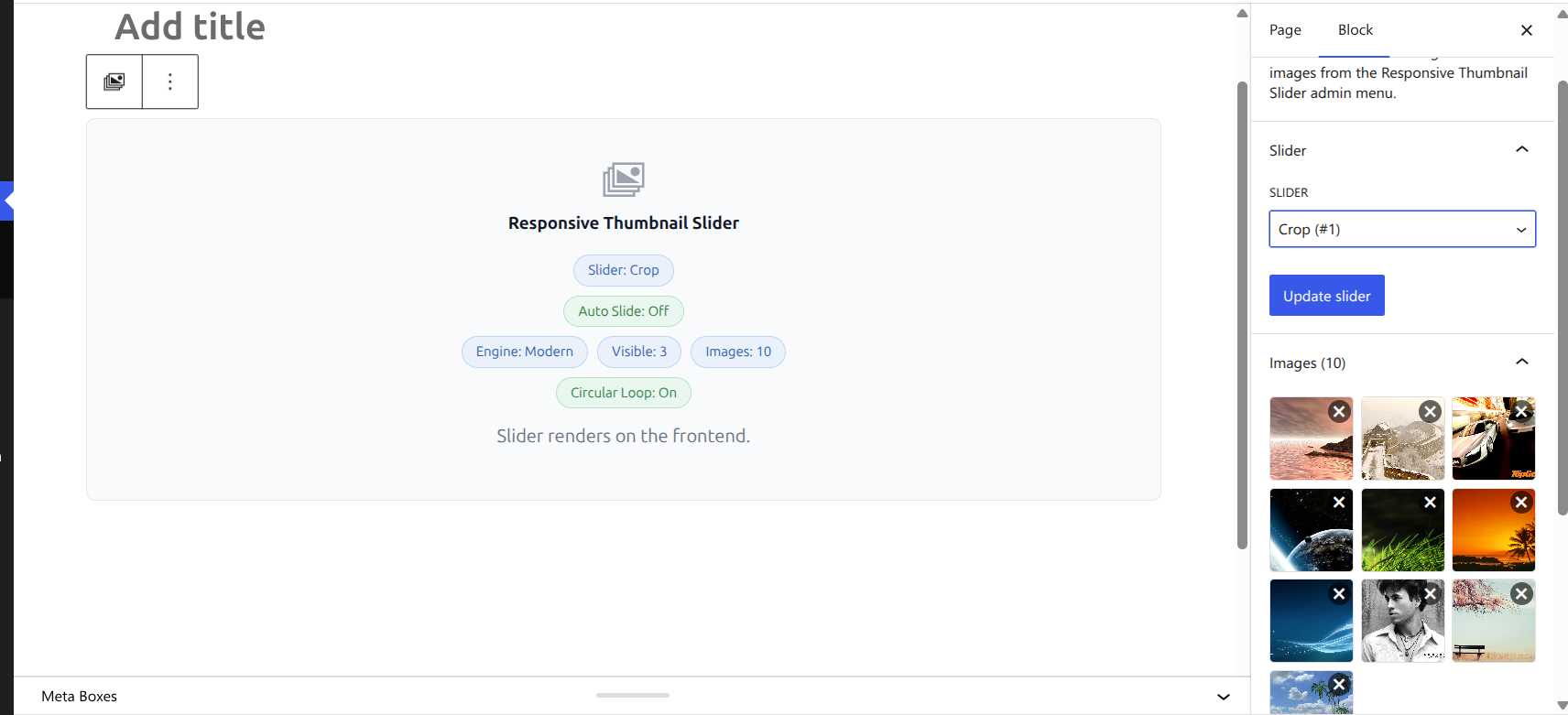
Gutenberg block Search for the Responsive Thumbnail Slider block in the inserter. The sidebar gives you full create-and-edit control — pick an existing slider or build a brand-new one without ever leaving the editor, including a Media Library image picker built right in. Changes save automatically the moment you click Publish or Update.
Elementor widget Drop it into any Elementor layout, with a live preview inside the builder.
Divi module Fully native Divi module with a live Visual Builder preview.
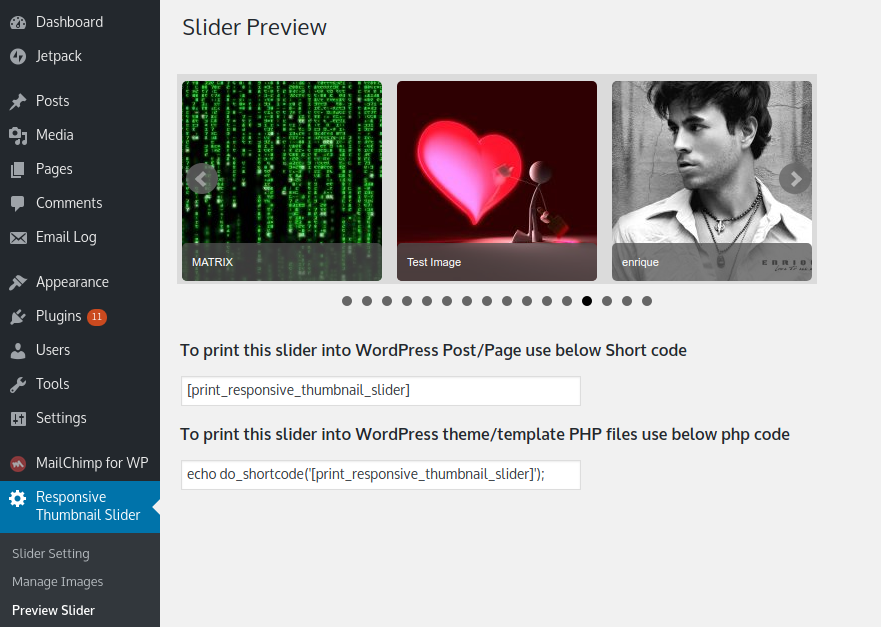
Classic shortcode Still works everywhere: [print_responsive_thumbnail_slider id="1"]
Analytics Dashboard
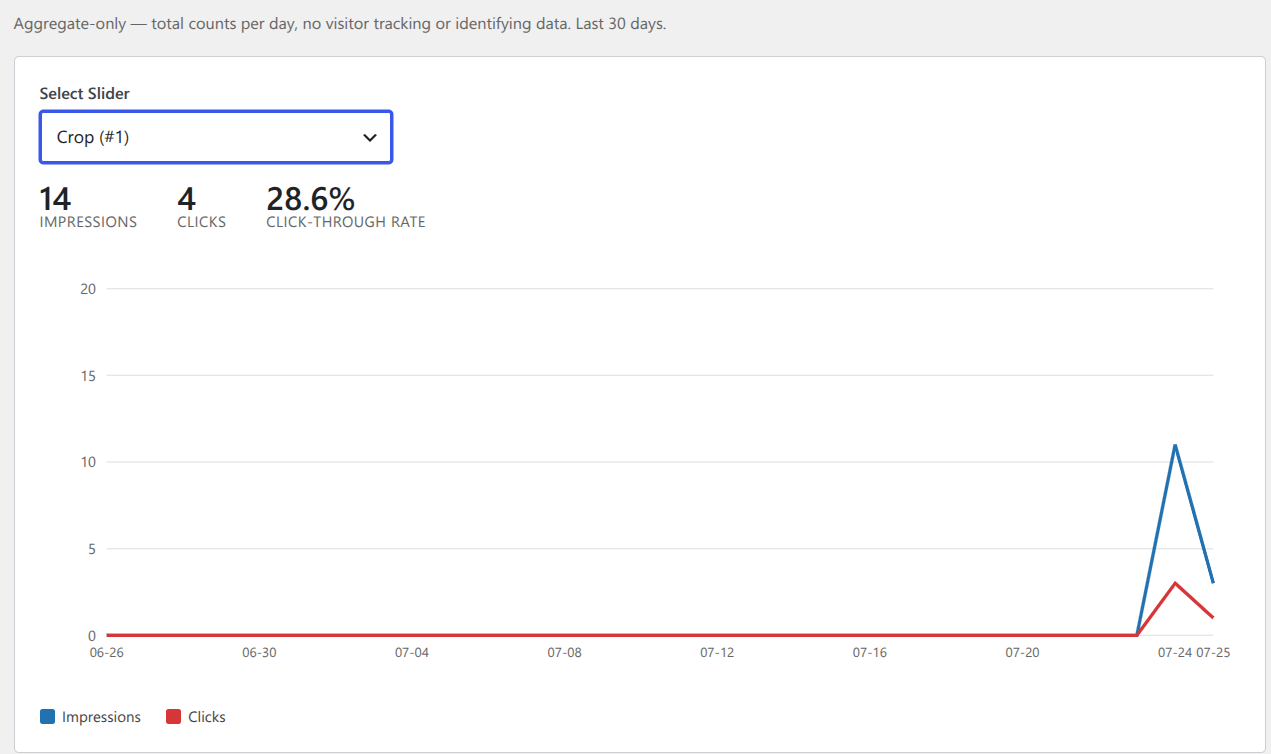
Know how each slider is actually performing — without collecting a single piece of visitor data.
- 📊 Dedicated Slider Stats page — pick any slider from a dropdown
- 📈 30-day impressions and clicks graph
- 🔢 Totals and click-through rate at a glance
- 🔒 Aggregate-only — no cookies, no IP logging, no visitor identifiers of any kind, ever
All Features
Slider Management
- ✅ Unlimited sliders, each fully independent
- ✅ Modern and Legacy rendering engines, selectable per slider
- ✅ Bulk image upload via the WordPress Media Library
- ✅ Manual drag-to-reorder or random image order
- ✅ Preview any slider before publishing it
- ✅ Crop / no-crop image display modes
- ✅ Per-slider border color, border radius, and box-shadow
- ✅ 16 easing animation curves, with true Bounce/Elastic motion on the Modern engine
- ✅ Auto-slide, circular loop, pause-on-hover, adjustable speed/pause
- ✅ Pager dots and/or arrow navigation
- ✅ Lightbox with keyboard navigation and caption support
Images & Content
- ✅ Per-image custom link and link target
- ✅ Per-image caption, falling back to image title
- ✅ Image name doubles as the alt tag for SEO
- ✅ Image description (if set) added to the title tag
Page Builder & Editor Support
- ✅ Native Gutenberg block with full slider create/edit in the sidebar
- ✅ Media Library image picker built into the block sidebar
- ✅ Auto-save on Publish/Update — no separate save step required
- ✅ Elementor widget with live builder preview
- ✅ Divi module with live Visual Builder preview
- ✅ Classic shortcode support
Analytics
- ✅ Dedicated Slider Stats dashboard, per slider
- ✅ 30-day impressions/clicks graph
- ✅ Totals and click-through rate
- ✅ Aggregate-only — GDPR-safe by design, no visitor tracking
WordPress Integration
- ✅ Responsive admin layout
- ✅ WordPress capabilities/permissions support
- ✅ Multisite compatible
- ✅ No third-party ads
- ✅ Free updates for life, no recurring fee
Who Is This For?
- 🖼️ Photographers & portfolios — showcase work with crop-perfect thumbnails and a clean lightbox
- 🛍️ Online stores — feature products or brand logos with per-image links straight to the product page
- 🏢 Business websites — a polished, professional slider that matches your brand’s styling
- 📰 Blogs & content sites — highlight featured posts with captions and easy linking
- 📱 Any WordPress site — works with any theme, and natively with Gutenberg, Elementor, or Divi
Free vs PRO Comparison
| Feature | Free | PRO |
|---|---|---|
| Sliders | 1 | Unlimited |
| Rendering engine | Modern & Legacy | Modern & Legacy |
| Easing curves | — | 16 curves, incl. true Bounce/Elastic |
| Lightbox | ✅ | ✅ |
| Crop / no-crop | — | ✅ |
| Border/radius/shadow styling | — | ✅ |
| Bulk image upload | — | ✅ |
| Random image order | — | ✅ |
| Per-image custom link & caption | — | ✅ |
| Gutenberg block | Basic | Full create/edit + image picker |
| Elementor widget | — | ✅ |
| Divi module | — | ✅ |
| Analytics dashboard | — | ✅ |
| Ads | None | None |






clgolden –
Does What it Says & Good Support for Pro Version
The free version works just fine. If you want to be able to control order of thumnbnail images, you have to buy the Pro version. At $16, that’s okay with me.
Had trouble with the Pro version, but developer got right back with me and fixed it. Really happy with the support!
living_simple –
GREAT, attentive Support!
I am very happy with the support level on this plugin. Really recommend using them…I had multiple issues over a weeks time, and they were all fixed by the support.
Tigaruk2 –
Works prefectly
Been using this for a couple weeks now and works brilliantly. Had a minor issue when it came to usage on phones but the developer fixed it quickly and now its perfect.
Joe Travis –
Best Plugin, service even better
I love this plugin, and if you need service as I did they get right on it and don’t stop until your satisfied. Thanks again Nik.
Joe Travis
Travis Cycle Inc.
julianajuelz –
Easy as 1 2 3
Really easy install and function. Works as specified
alokroutray –
Full responsive logo slider
Full responsive logo slider
CottageGalStyle –
GREAT! Easy to Use Slider
I had a slight issue because of my error and Nik Gandhi is FABULOUS! His customer service is the best and TOP RATE.
Thank you so much!
Cottage Gal Style Blog
Lynnie
ChrisWaugh –
Great plugin, Awesome service!
I needed a thumbnail slider to feature my books on chriswaugh.com, but I wanted the scroll arrows to display beside the products, not on top of them. I contacted support, not expecting quick service. Nik Gandhi answered right away. He tried to talk me through it twice, but I still couldn’t get my desired result. So, he fixed it for me! Thanks Nik! It looks great!
patriotbg –
Very easy to use plugin!
Finaly I found the image slider plugin that I have looking for!
Very intuitive to work and the support is attentive and always receive quick feedback.
Keep the good work!
NicholasPedroso –
The best slider Plugin
awesome work for this simple-powerfull plugin!
and great support from the author!
I recommend =)
I already buyed a pro version!
Thanks developer!!!
galeroy –
Responsive Image Slider = Awesome!!!
This is a GREAT image slider and I highly recommend it.
Over the past week I have experimented with a handful of image sliders – all claiming to be attractive and easy to use. However none of them actually were easy to use.
This slider plugin actually delivers on what it promises.
I can’t believe..
– how easy it is to install
– how easy it is to use (the user interface is very intuitive)
– how easy it is to customize
– how quickly I was able to get it set up. (I was able to get an image slider set up in about 10 minutes.)
Not only that but this image slider can easily be placed in a blog post, on a standard page or in a template file.
Thanks for creating this awesome plugin!!
SoftwareDrone –
Works great, excellent support!!
Easy to install, easy to configure, the radiused edges of the images looks professional. Most of all, the support is outstanding and that makes all the difference.
One more thing: Unless you like working for free, buy the PRO version.
VIJOHN –
This is what I want
It works as expected.
Keep it up.
basheba –
Responsive Slider
Great slider. Easy to use and the support from Mr. Gandhi is first rate. Update to this review, had to use slider in new theme, and image was cropped. Could not resolve my problem and Mr. Gandhi was good enough to fix the issue. Slider is great and support is excellent. Highly recommend the pro version!